Async Standup: Written Updates Your Team Will Actually Read
An async standup swaps the daily call for a short written update. Use three questions, post by a set hour, and put each blocker on the task it blocks.
A daily standup call spends ten minutes of every person's morning so that one person can hear what the other six did. An async standup keeps the information and drops the call: everyone writes the same short update by a set hour, and the team reads it when they are ready to.
The direct answer: an async standup works when each update answers three questions (done, next, blocked), lands by a fixed time, and puts every blocker on the task it blocks as a comment with an @mention, not in a channel. Written updates fail the same way the call does, when nobody reads them. Microsoft's 2025 Work Trend Index puts the average worker at 153 Teams messages per weekday, which is the stream a channel-posted standup has to survive.
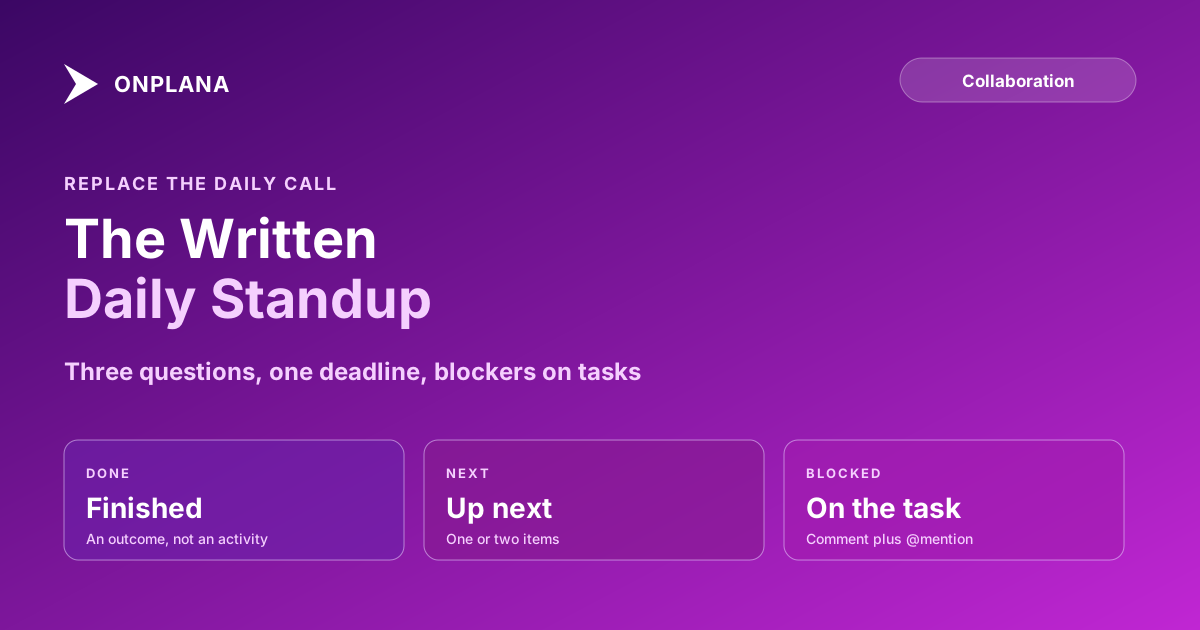
The short answer. Ask each person for three lines by 10:00 local time: finished, next, blocked. Keep the first two in the standup thread. Move the third onto the blocked task with an @mention, so its owner is notified and the blocker stays beside the work after the thread is buried. Hold a live call only for the blockers that need one.
What questions belong in an async standup?
Three questions carry almost all of the value, and a fourth usually adds only noise.
- What did you finish? Name the outcome, not the activity. "Merged the invoice export" beats "worked on invoices".
- What are you doing next? One or two items, so the team can see overlap and gaps.
- What is blocking you? Name the task, the person who can clear it, and what you need from them.
If you want the three lines drafted into a clean update, the free Status Report Writer takes them as input. Skip "how are you feeling" and "any other news". They invite paragraphs, and long updates are the first thing readers stop reading.
When should the team post, and how long should an update be?
Pick one hour that falls inside everyone's working day, and make it a deadline rather than a window. A team spread over three time zones can choose the latest start of any member's day, so every update exists before the first person who needs it logs on. Keep each update to three to five lines. Anything longer is detail that belongs in a comment on the task, with a link from the standup line.
Where do blockers go?
A blocker belongs on the task it blocks. In a channel, a blocker is one message among hundreds and depends on its owner scrolling past it. On the task, it is a comment with an @mention: the mention reaches the person's inbox, email and phone, and the thread stays with the work, so whoever picks the task up later can see why it stalled. The reasoning is the same one behind keeping decisions in task comments rather than a chat channel.
The diagram below shows the route a blocker takes in each setup.
Async standup or a live call: which fits?
| Async standup | Live call | |
|---|---|---|
| Cost per person | A few minutes of writing | The full meeting plus the interruption |
| Works across time zones | Yes | Only with an awkward slot |
| Record afterwards | Written, searchable | None unless someone minutes it |
| Surfaces a blocker | Yes, if it is a task comment | Yes, if someone says it aloud |
| Resolves a complex blocker | Poorly | Well |
Use the call for the one item a day that needs people talking, and use the written update to find out which item that is.
How does Onplana fit an async standup?
Onplana keeps the blocker on the task. A comment on a task supports replies and @mentions, and a mention reaches the person's inbox, email and phone. The AI status summaries are on every plan, so the thread can be turned into a draft for the people who skim; they draw on your AI balance, and a person should read the draft before it goes out. The AI status report guide covers what to give the draft, and the status report writing guide covers the weekly view above the daily one. The team collaboration page lists the rest.
Try the free Status Report Writer Turn the week's finished, next and blocked lines into an audience-ready status update. No signup required. → Open the Status Report Writer
Frequently asked questions
What is an async standup?
An async standup is a daily team update written on your own schedule instead of spoken on a live call. Each person answers the same short questions by an agreed hour, and the team reads the answers when it suits them.
What questions should an async standup answer?
Three: what did you finish, what are you doing next, and what is blocking you. The third is the only one that needs a reply, so it is the one to attach to a task and @mention the person who can clear it.
Does an async standup replace every meeting?
No. It replaces the status round, not the conversation. A blocker that needs three people talking, a design argument or a tense handover still deserves a live call, and the written update is how you find out which ones those are.
Where should blockers go in an async standup?
On the blocked task, as a comment that @mentions the person who can unblock it. A blocker posted in a channel scrolls away; one on the task stays beside the work and reaches its owner by inbox, email and phone.
How long should an async standup update be?
Three to five lines. If an update needs more, the detail belongs in a comment on the task and the standup line links to it.
Can AI write the standup for us?
It can draft a summary from task changes, and a person should read it before it goes out. AI summaries are on every Onplana plan, subject to your AI balance, but the blocker line still needs a human who knows what is stuck and why.
Ready to make the switch?
Start your free Onplana account and import your existing projects in minutes.