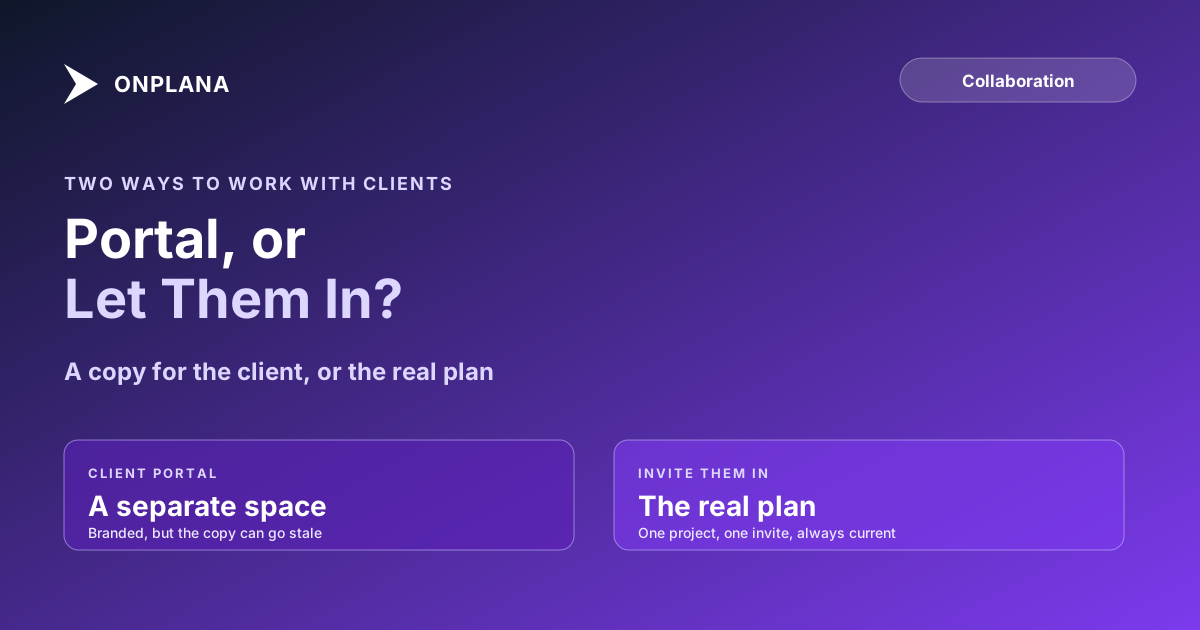
Client Collaboration Tools: Portal or Invite Clients In?
Client collaboration tools come in two kinds: a separate client portal, or inviting the client into the plan. Compare effort, cost and what goes stale.
A client does not want another login to forget. They want to know whether the date holds, approve the thing you sent, and find last month's file without asking. How you give them that decides whether you spend Friday copying updates between two systems.
The short answer: client collaboration tools split into two kinds. A client portal is a separate, client-facing space fed from your work. Inviting the client in gives them limited access to the plan your team already uses. Per Basecamp's pricing page (October 30, 2026), a plan with five users costs $29 a month on Freelancer and every client you add counts against that limit, which is the cost question in one line.
In short. Choose a portal when many clients each need a branded, isolated space. Choose invite-in when the client needs the real plan, because there is nothing to copy across and nothing to go stale. Onplana takes the invite-in route.
What does a client actually need from a project?
A client needs four things, in this order: to see where the work stands, to comment on it, to approve or reject a deliverable, and to get the files. Everything else a tool offers is optional.
Test any tool against those four before you look at the feature list. A portal with invoicing and a branded login that cannot show a live schedule fails the first one. A shared workspace that shows the schedule but cannot hide internal comments fails the second.
Client portal or invite-in: how do they compare?
The two routes differ on what the client sees, who maintains it, and what happens when the plan changes on Tuesday.
| Client portal | Invite the client in | |
|---|---|---|
| What the client sees | A curated space, often branded | The real project, scoped to one invite |
| Who keeps it current | You, or an integration | Nobody; it is the same data |
| What goes stale | Anything copied across | Nothing, but internal content can leak |
| Setup per client | A portal or space each | An invite each |
| Licence cost | Often flat; clients rarely counted | Free guest allowance, then a seat |
| Best for | Many clients, agency-style delivery | Few clients, deep project involvement |
The diagram below shows the structural difference: a portal sits between your work and the client, while an invite puts the client at the work.
Which client collaboration tools use which approach?
Prices below were read from each vendor's pricing page on October 30, 2026 and change often, so confirm before you buy.
| Tool | Approach | Price read on the page | How clients are counted |
|---|---|---|---|
| SuiteDash | Client portal | Start $19, Thrive $49, Pinnacle $99 per month | Page states unlimited clients and staff on every plan |
| Basecamp | Invite in | Freelancer $29, Pro $79 per month, flat | Every person counts toward the plan's user limit |
| Teamwork | Invite in | Basics $9.99, Accelerate $24.99 per user per month, billed annually | Page does not state client or collaborator rules |
| Onplana | Invite in | Starter $7, Pro $12, Business $20 per seat per month | Free guest seats on paid plans; none on Free |
Portals win on branding and isolation, and SuiteDash is the clearest example of paying a flat fee and not counting clients. They cost you a second source of truth. Invite-in tools win when the client has to read the actual schedule, and they cost you care about what the project contains.
How does Onplana give clients access?
Onplana gives a client one of three things, in increasing order of access, and none of them is a separate portal.
- A shared document. You enter the client's email, they receive a link and a code at that address, and they see the file view-only with no account. It works on every plan including Free.
- A guest seat. The client is invited to one project, can read and comment, and sees nothing else in the workspace. Per Onplana's plan limits (October 2026) the free allowance is none on Free, 2 on Starter and Pro, 5 on Business and 10 on Enterprise and Enterprise+; past it, a guest is billed like a seat.
- A member seat. For a client who must own tasks.
Guest seats explained lists what a guest can and cannot do. If the client only needs the schedule, sharing a Gantt chart with a client covers the PDF and guest routes, and sharing project documents without a licence covers the single-file route. For a project with a contractor, a client and an in-house team at once, see one project for contractor, client and in-house team. Comments and @mentions inside the project are covered on the team collaboration page.
A member who opens a link to a project they cannot see can ask for access from that same page, and the people who manage the project decide from an inbox. Outsiders without an invite still get a plain not-found.
How do you decide between a portal and an invite?
Count the clients, then ask how deep each one goes.
- Many clients, shallow involvement (status, invoices, files): a portal.
- Few clients, deep involvement (reading dates, commenting on tasks, following a milestone): invite them in.
- One document, one time: neither; share the file.
- Before any invite, open the project as a stranger would and remove anything you would not forward to the client.
The honest limit of the invite-in route is the one Onplana has: it has no branded portal, no client-facing invoicing and no isolated space per client beyond a separate project. If those are the requirement, a portal tool is the right answer.
Give a client the schedule, not a copy of it Onplana's team collaboration page covers guests, comments and document sharing on one plan. → See team collaboration
Frequently asked questions
What are client collaboration tools?
Client collaboration tools are software that lets people outside your company see project status, comment, approve work and get files. They come as a separate client portal or as limited access to the same plan your team uses.
Is a client portal better than inviting clients into the project?
A portal is better when you serve many clients who each need a branded, isolated space with invoices and forms. Inviting the client in is better when the client needs to see the real plan, because nobody has to copy updates across.
Do clients need a paid licence to collaborate?
It depends on the tool. Basecamp counts every person against the plan's user limit, SuiteDash advertises unlimited clients on every plan, and Onplana includes free guest seats on paid plans (2 on Starter and Pro, 5 on Business, 10 on Enterprise).
Can a client see my internal tasks and comments?
Only if you let them. A guest sees the one project they were invited to, so check task names, comments and attachments in that project first; anything internal belongs in a separate project.
Does Onplana have a client portal?
No. Onplana takes the invite-in route: guest seats on a single project, plus sharing a single document by email without any account. It does not offer a separate branded portal.
What if my client only needs to see one document?
Share that document by email instead of creating any account. The client enters a code sent to that address and sees the file view-only, on every plan including Free.
Ready to make the switch?
Start your free Onplana account and import your existing projects in minutes.