AI Prompts for Project Managers: The Patterns Worth Learning
AI prompts for project managers don't need prompt-engineering jargon. Four copy-paste patterns that turn messy briefs, notes, and estimates into usable drafts.
Most "prompt engineering for project managers" advice reads like it was written by someone who has never actually run a project. Be specific. Give examples. Iterate on your prompt. All true, all generic enough to apply to writing a cover letter or summarizing a legal contract, and none of it tells you what to actually type when you're staring at a wall of meeting notes at 4:45pm trying to get a usable action-item list before the standup.
A PM does not need prompt engineering as a discipline. The AI prompts for project managers that actually earn their keep are four reusable patterns, each solving a specific recurring job, each reusable enough to become muscle memory after using it a dozen times.
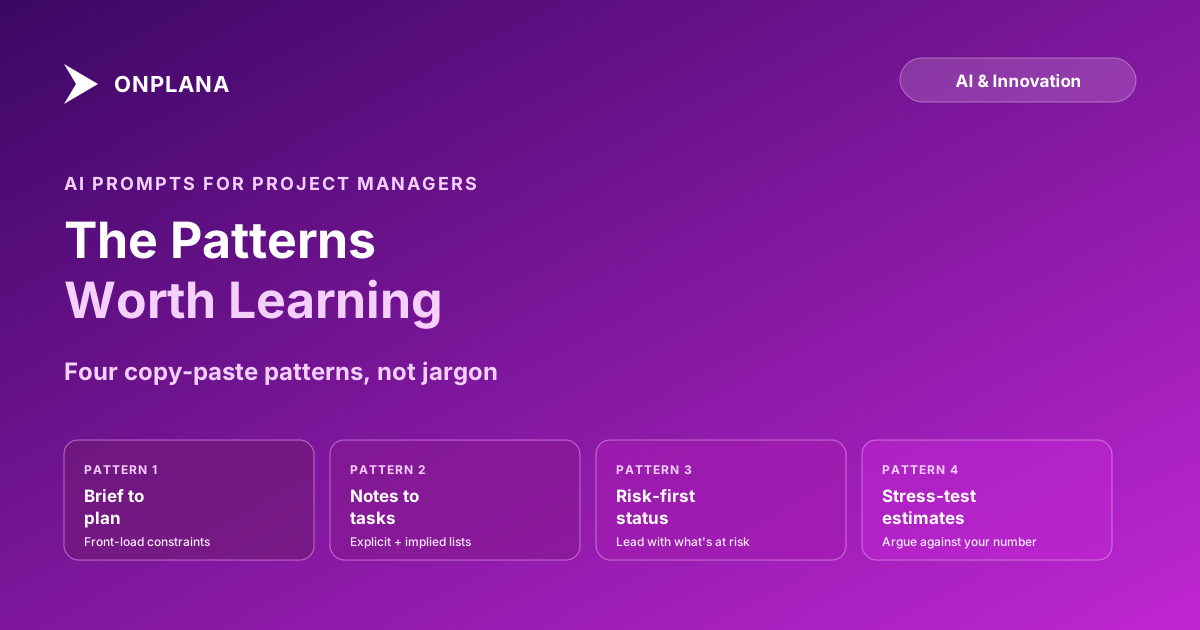
The direct answer. Four prompt patterns cover most of what a PM actually needs from AI day to day: turning a messy brief into a structured plan (by front-loading constraints, not just the goal), extracting action items from meeting notes (asking for explicit commitments and implied follow-ups as two separate lists), drafting a risk-adjusted status update (explicitly instructing the model to lead with risk before good news), and stress-testing an estimate (asking the model to argue against your own number instead of just checking it). Each pattern is a template you adapt, not a prompt you memorize word for word.
The Four Patterns That Actually Pay Off
Every PM-specific prompt pattern below solves a job that shows up weekly, not a one-off request. That's deliberate. A prompt you use once isn't worth building a habit around; a prompt you'll use every Monday is.
The shared thread across all four: the pattern works by making explicit something a vague prompt leaves implicit. Ask a model to "make a plan," "summarize this meeting," "write a status update," or "check this estimate" and it will happily produce something plausible-sounding for each. Whether that output is actually useful depends entirely on what you told it to prioritize, and the four patterns below are just structured ways of not skipping that step.
Pattern 1: Turning a Messy Brief into a Structured Plan
The failure mode here is a prompt with a goal and nothing else: "plan a website redesign." The model has no organization, no team, no deadline pressure to work with, so it defaults to the generic phases every redesign already has: discovery, design, build, launch. Technically correct, practically useless.
The fix is front-loading constraints, not just the goal, the same discipline covered in more depth in how AI project plan generation actually works from a prompt:
Goal: [one sentence describing what "done" looks like]
Timeline: [hard deadline or date range]
Team: [names or roles, and how many people]
Known constraints: [budget, dependencies, anything already decided]
Audience: [who this plan needs to be legible to]

Generate a task list with phases, estimated durations, and
dependencies. Flag anywhere you had to guess because I didn't
give you enough information.
That last line matters more than it looks. Asking the model to flag its own guesses surfaces exactly where your brief was thin, which is more useful than a confident plan that quietly filled gaps with assumptions you'll only discover when they're wrong.
Pattern 2: Extracting Action Items from Meeting Notes
The default prompt, "list the action items from these notes," reliably catches explicit commitments and just as reliably misses implied follow-ups. AI meeting notes to tasks tools have the same blind spot at the product level: the explicit item is "Tim will update the rollout plan," the implicit one is that changing the rollout plan moves the testing window, which means the vendor needs a heads-up nobody assigned yet.
Asking for two lists instead of one closes most of that gap:
Here are my meeting notes: [paste raw notes or transcript]

Give me two separate lists:
1. Explicit commitments: someone said they would do something,
   with an owner and a deadline if one was stated.
2. Implied follow-ups: things this discussion clearly requires
   but nobody explicitly assigned. Say why each one is implied.
The second list is the one worth reading slowly. It's shorter, messier, and usually contains the one risk that would have surfaced two weeks later as a surprise instead of now as a heads-up.
Pattern 3: Drafting a Risk-Adjusted Status Update
A generic "write a status update" prompt produces a status update, and it will lean upbeat by default because most status update examples the model has seen skew upbeat. If you need a draft a sponsor can actually trust, the instruction to lead with risk has to be explicit, not implied:
Project data: [paste current tasks, milestones, and known risks]

Write a status update in this order:
1. Anything at risk of slipping or over budget, named specifically,
   not softened.
2. What's on track, briefly.
3. What you need from the reader (a decision, a resource, a heads-up).

Do not use hedging language for the risk section. If something is
likely to slip, say so plainly.
This mirrors the same principle behind AI-generated status reports done well: the model produces a genuinely useful first draft only when it's told what "useful" means for this specific audience, not left to guess at tone. A PM who skips the explicit risk-first instruction gets a pleasant-sounding paragraph that reads fine and tells the sponsor nothing they needed to hear. The free Status Report Writer builds this risk-first pattern in by default if you'd rather not maintain the prompt yourself.
Pattern 4: Stress-Testing an Estimate Before You Commit to It
Asking a model to "check this estimate" invites agreement; models are tuned to be helpful, and helpful often means confirming what you already believe. Asking it to argue against your number gets a genuinely different, more useful kind of output:
Here's my estimate: [task, estimated duration, and the assumptions
behind it]

Argue against this estimate. What would have to be true for the
actual duration to come in 30 percent higher? What would have to be
true for it to come in 30 percent lower? List the specific assumptions
each scenario depends on.
The value isn't the percentage; it's the assumptions the exercise surfaces. An estimate that only holds if a specific vendor responds within 48 hours, or if no team member takes planned leave during the window, is an estimate with a named, addressable risk instead of a number that feels solid until it isn't. This is the same adversarial instinct behind PERT three-point estimation and Monte Carlo schedule simulation: a single-point estimate hides the range of outcomes; forcing the model to argue both directions makes the range visible before you commit to a date.
What Makes AI Prompts for Project Managers Different From Generic Ones?
Generic prompt-engineering advice (be clear, give examples, iterate) is true and unhelpful because it doesn't name what a PM is actually trying to get out of the interaction. Anthropic's own prompting best practices make the same point at the model level: clarity and explicit context outperform a cleverly worded one-liner every time. Applied to PM work, that general principle becomes the four patterns above, each one naming a specific PM failure mode and building the instruction to counter it directly into the prompt: vague briefs produce generic plans, so the fix is a constraints template. Meeting extraction misses implicit items, so the fix is asking for two lists instead of one. Status updates default to upbeat, so the fix is an explicit risk-first instruction. Estimates get rubber-stamped, so the fix is asking the model to disagree.
None of that requires learning prompt-engineering terminology. It requires knowing which of your own recurring PM tasks has a predictable failure mode, and building that counter-instruction into the prompt every time instead of relying on a generic one-liner and hoping.
The diagram below shows the shared shape behind all four patterns: raw input goes through a pattern-specific instruction before the model drafts anything, and a human still reviews before it ships.
The Anti-Patterns That Produce Confident Nonsense
Five habits reliably produce output that sounds authoritative and isn't.
Asking a vague question and expecting a specific answer. "Is this project on track" gets a hedge. "Given these five tasks and their due dates, which ones will miss their deadline at current velocity" gets an answer you can act on. Specificity in the question is what buys specificity in the answer.
Accepting the first draft without checking what it's grounded in. A status update that reads well and a status update that's grounded in your actual task data look identical on the page. The only way to tell them apart is checking whether the specific numbers and dates in the draft match your real project, not just whether the prose sounds plausible.
Asking for reassurance instead of a real check. "Does this estimate look reasonable" invites agreement. "Argue against this estimate" invites the model to actually stress-test it. The framing of the question determines whether you get scrutiny or a rubber stamp.
Treating one confident output as verified. A model can produce a fluent, specific-sounding answer that is simply wrong, with no internal signal distinguishing it from a correct one. The fix isn't distrust of every output; it's checking the output that matters (an estimate you're about to commit to, a status update going to a sponsor) against the actual data before it ships, the same discipline that underlies running a project autonomously with an AI agent without losing control of what actually happens.
Reusing one pattern for a job it wasn't built for. The risk-first status prompt works because it's tuned to a specific failure mode: models defaulting to upbeat framing. Pointing that same instruction set at a meeting-notes dump doesn't produce good task extraction, it produces a status update shaped output for the wrong input. Match the pattern to the failure mode it was built to counter, not to whatever text happens to be in front of you.
How Do You Build a Reusable Prompt Library?
None of the four patterns above need to be reinvented each time. Turning them into a personal library takes four steps.
- Save each working pattern as a template with blanks, not a one-off prompt you'll have to reconstruct from memory next week. The examples above are already written this way; swap the bracketed sections for your real project data.
- Note which failure mode each pattern counters. The plan template counters vague-brief-to-generic-plan. The dual-list extraction counters missed implicit items. Knowing the failure mode makes it obvious when a new recurring task needs its own pattern.
- Test each pattern against a case where you already know the right answer. Run the estimate stress-test on a project that actually did slip, and check whether the surfaced assumptions would have caught it. A pattern that doesn't catch a known failure needs revision before you trust it on a live decision.
- Retire or merge patterns that stop earning their keep. If a pattern hasn't produced a genuinely different output from a generic prompt in the last dozen uses, it's decoration, not a pattern.
A prompt library built this way stays useful because every entry in it exists to counter a specific, named failure mode, not because it sounded clever once. That discipline is the entire difference between prompt engineering as a buzzword and a PM who just gets better answers out of the same tool every week.
Run the free Status Report Writer Draft a risk-first status update from your real project data in minutes, then edit before it ships. No signup required. → Open the Status Report Writer
Frequently asked questions
What's a good AI prompt for turning a messy project brief into a plan?
State the goal in one sentence, then list every constraint you actually know: timeline, team size and names, budget, known phases, and who the plan is for. A prompt with constraints produces a usable starter plan; a prompt with just the goal produces a generic template you already knew.
How do I get AI to extract action items from meeting notes accurately?
Paste the raw notes or transcript and explicitly ask for two lists: explicit commitments (someone said they'd do something by a date) and implied follow-ups (things the discussion clearly requires but nobody assigned). Most PMs only ask for the first list and miss the second, which is usually where the risk lives.
Can AI draft an honest status report or does it sugarcoat bad news?
It reflects whatever framing you ask for. A prompt that says 'write an upbeat update' gets you spin. A prompt that says 'flag anything at risk first, then give the good news' gets you something closer to what a sponsor actually needs. The instruction to lead with risk has to be explicit; the model won't volunteer it.
What's the best way to prompt AI to stress-test a project estimate?
Ask it to argue against your own number: give the estimate and the assumptions behind it, then ask what would have to be true for the estimate to be wrong by 30 percent in either direction. That framing surfaces the assumptions you didn't know you were making, which a request to simply 'check this estimate' rarely does.
Do project managers need to learn prompt engineering?
Not in the formal sense. The four patterns that matter for PM work (structured brief, dual-list extraction, risk-first framing, adversarial estimate check) are reusable templates, not a technical skill. Learning the four patterns takes an afternoon; treating it as a specialized discipline is overkill for what PMs actually need.
What are common AI prompting mistakes project managers make?
Asking a vague question and expecting a specific answer, accepting the first draft without checking what evidence it's based on, asking for reassurance instead of a real risk assessment, and treating a single confident-sounding output as verified when the model had no way to check itself.
Ready to make the switch?
Start your free Onplana account and import your existing projects in minutes.