Cloud Based Construction Scheduling Software vs Desktop
Cloud based construction scheduling software versus desktop P6 or MS Project: who updates the programme, .xer and .mpp exchange, offline use and cost compared.
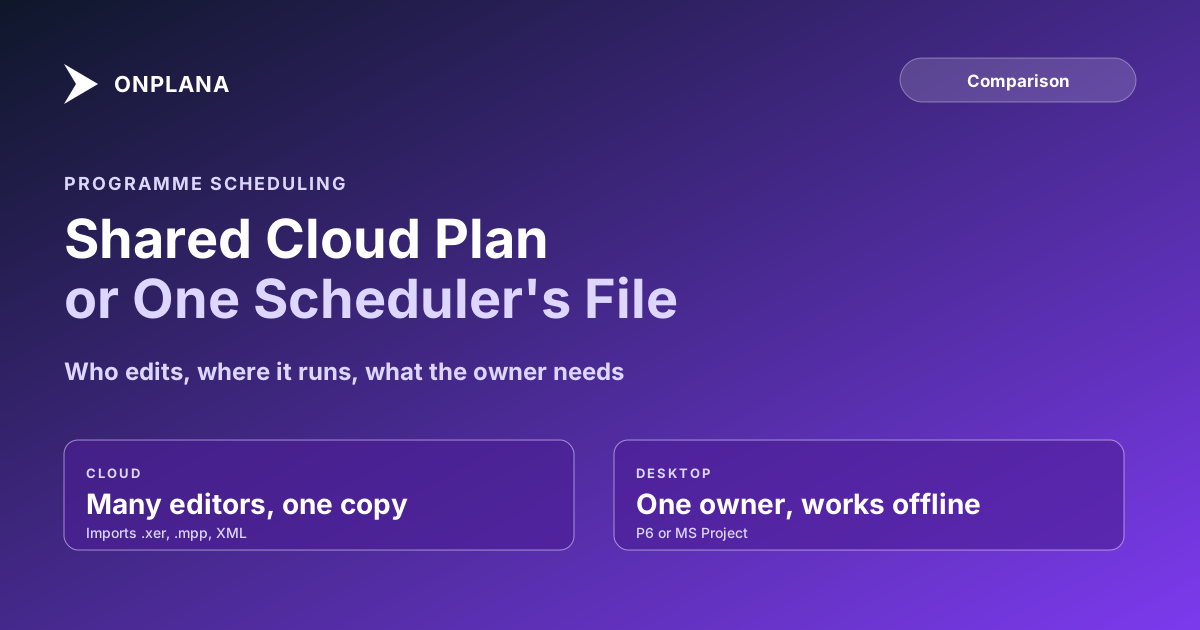
Cloud based construction scheduling software wins on one thing: everyone who touches the programme works the same copy. Desktop P6 or MS Project wins when one scheduler owns the file and nobody else needs to open it.
The short answer. Choose cloud when the programme is updated by more than one person, when subcontractors or the client need to see current dates, or when you lose a day each week emailing files. Keep desktop when one scheduler owns the plan, the site is offline, or the contract demands a file format the cloud tool cannot write. Most teams end up using both.
If your programme already exists as a P6 or MS Project file, import your programme into the cloud, free and compare it with the original before you decide.
Who can see and update the programme?
If you are still choosing a platform, the seven checks in best construction project management software apply to either side.
On desktop, a programme is a file: one person edits it, others receive a copy. In the cloud, it is a shared plan, so the planner, the site manager and a subcontractor's coordinator see the same dates. That removes the version problem, "which file is current", and it adds a permission problem: who may change a date. Decide that before you move.
Which tools are on each side?
The table lists the common options with the facts that matter to a scheduler. Onplana figures are from its own plans on 13 November 2026, the Microsoft price is from Microsoft's page as read on 6 October 2026, and rows are in no ranking order.
| Tool | Where it runs | Critical path and baselines | Reads .xer and .mpp | Price |
|---|---|---|---|---|
| Oracle Primavera P6 | Desktop and hosted | Yes, the industry reference | Native .xer | Quoted per deal, not published |
| Microsoft Project Plan 3 | Desktop app with cloud plan | Yes | Native .mpp | USD 30 per user per month, paid yearly |
| Onplana (web app) | Browser | Critical path on every plan, baselines on Professional and up | Imports .mpp, Project XML and .xer | Free for 5 members; Professional USD 12 per seat per month |
| Onplana Schedule | Desktop, Windows and Mac | Critical path, float, baseline bars when the file carries them | Opens .mpp, .xer and Project XML | Free |
Source for Microsoft, read on 6 October 2026: its Planner and Project Plan 3 page. Oracle does not publish a P6 list price. Oracle's P6 holds depth Onplana does not match: resource-loaded schedules at scale, and the .xer format that many owners specify in a contract.
The diagram above reduces the choice to three questions: who edits, whether the site is offline, and which file the owner requires.
Can a cloud tool exchange .xer and .mpp files with owners?
Importing is solved; writing back is the limit. Onplana's web app imports .mpp, Project XML and Primavera .xer and keeps tasks, hierarchy, dependencies with lag and constraints. It exports Project XML, Excel and a Gantt PDF, and it does not write .xer or .mpp. If a contract says "submit the programme as .xer", the cloud tool cannot be the system of record for that submission. Read the contract clause first; some owners accept Project XML or PDF. The XER file guide explains what the format holds, and Microsoft Project versus Primavera P6 covers the desktop pair.
What about offline use and day-level scheduling?
A browser needs a connection. For a site cabin without one, Onplana Schedule, the free desktop app for Windows and Mac, opens .mpp, .xer and Project XML, edits with undo, and saves Project XML that MS Project reads, as a new file beside the original. It does not write .mpp.
On privacy, state it by contents, not by extension. If the file's contents are Microsoft Project XML, it is read on your machine and nothing is uploaded. Anything else, a binary .mpp and a Primavera P6 or Planner XML export alike, is converted on Onplana's servers, and the uploaded copy is deleted within 3 days and removed from backups 7 days after that.
One honest limit: the web app schedules in whole working days, so a half-day task or sub-day lag does not move a successor. For minute-level work use the desktop app.
How do you move without breaking the programme?
- Import a copy. Bring the .xer or .mpp into a new project; keep the original untouched.
- Compare the critical path. The longest path and total float should match the source.
- Check constraints and calendars. Working calendars differ between tools; confirm they came across.
- Run both for one update cycle. Then retire whichever the team stopped opening.
For the wider picture of what a cloud programme needs, see construction scheduling software, and for how it differs from IT work, construction scheduling versus IT scheduling.
Import your programme into the cloud, free Upload a .mpp, Project XML or .xer file, check the critical path against your original, and invite the people who update it. No card required. → Start free
Microsoft Project™ is a trademark of Microsoft Corporation. Onplana is not affiliated with Microsoft.
Frequently asked questions
Is cloud based construction scheduling software better than desktop?
It is better when several people must see and update the programme, and no better when one scheduler owns it alone. The deciding question is how many people touch the schedule each week.
Can cloud scheduling software open Primavera P6 .xer files?
Some can. Onplana imports .xer, .mpp and Microsoft Project XML files and keeps the logic and constraints, but it does not export .xer, so an owner who demands .xer back still needs P6.
Can I send an owner a file they can open?
Yes, as Project XML, Excel or a Gantt PDF. Onplana exports those three formats, not .xer or .mpp, so check what the owner's contract specifies before you switch.
Does cloud scheduling work on a site with no signal?
Not in a browser without a connection. Onplana Schedule, the free desktop app for Windows and Mac, opens and edits the file on the machine, which covers the offline case.
What does cloud construction scheduling cost?
From nothing to about USD 30 per seat per month for the tools here, and Oracle quotes P6 per deal. The table dates each price to the day it was read.
Does the cloud tool schedule down to the hour?
The Onplana web app schedules in whole working days, so a half-day task or sub-day lag is stored but does not move a successor. Minute-level scheduling is in Onplana Schedule, the desktop app.
Ready to make the switch?
Start your free Onplana account and import your existing projects in minutes.