Project Management Software With a Client Portal, Compared
Project management software with a client portal comes in three shapes: a portal product, guest accounts or share links. What each shows a client, and costs.
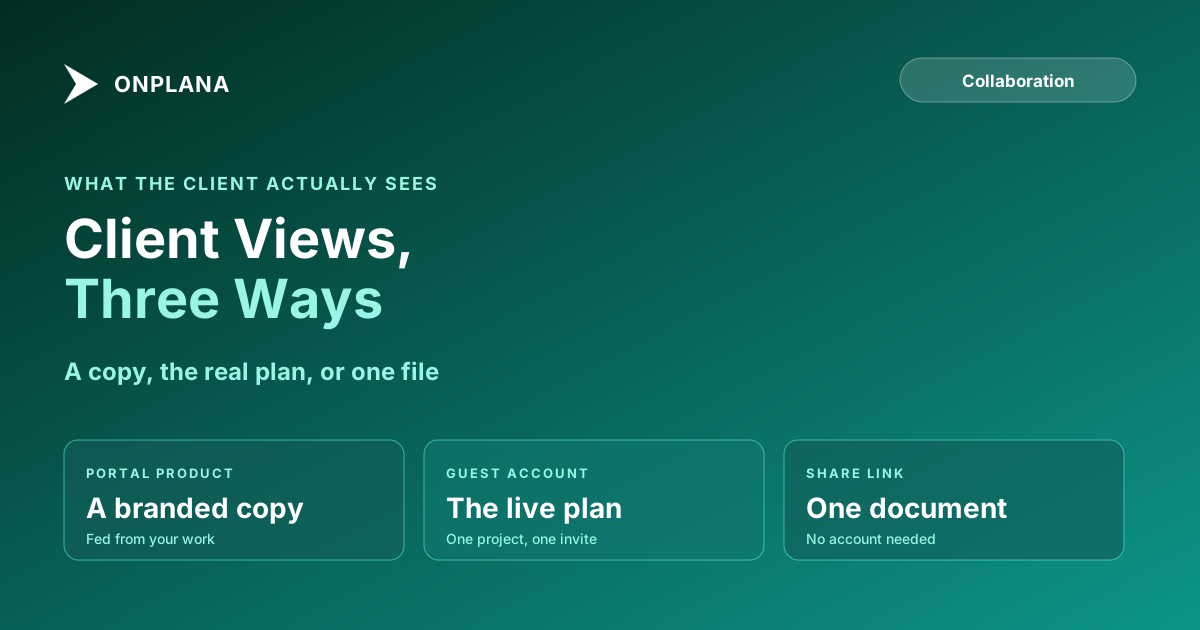
Project management software with a client portal comes in three shapes, and they are not interchangeable. A portal product is a separate branded space fed from your work. A guest account puts the client inside your workspace, scoped to one project. A share link hands over one document with no account at all. Pick by what the client has to see: a copy, the real plan, or a single file.
Onplana's plan limits, read on its pricing page in November 2026, show how much the shape changes the bill: a guest seat costs nothing up to an allowance (2 on Professional, 5 on Business, 10 on Enterprise) and none are included on Free. See which plans include free guest seats for clients.
In short. If the client needs to see the live schedule, give them a guest account on that one project, because nothing has to be copied across and nothing goes stale. If you serve many clients who each need a branded space with forms and invoices, a separate portal product fits better. If the client needs one file, a share link is enough. Onplana is the second kind: it is not a portal product.
What counts as a client portal in project management software?
A client portal is whatever lets a client see their project without seeing everything else. Three mechanisms get called by that name, and the difference decides what the client can see, edit and comment on.
The diagram below sets the three side by side by what the client sees.
How do the three client views compare?
The table sets the shapes against the questions a client-facing team actually asks.
| Portal product | Guest account in the workspace | Share link | |
|---|---|---|---|
| What the client sees | A curated copy of status | The real project they were invited to | One document |
| Does it go stale | Yes, unless it is fed automatically | No, it is the live plan | No, but it is one file |
| Client can comment | Usually, in the portal | Yes, on the same tasks as your team | Depends on the document |
| Client needs a login | Yes | Yes, by email invite | No |
| Cost per client | Often per client or per portal | Free up to a plan allowance, then a seat | Free |
| Best for | Many clients, each with a branded space | A client who needs the live schedule | A client who needs one file |
Pros and cons of each, in one line apiece:
- Portal product. Pro: branding, isolation between clients, forms and invoices. Con: a second system to keep in step with the real plan.
- Guest account. Pro: no copy to maintain, and comments land on the real tasks. Con: the client sees everything inside the project, so internal chatter has to live elsewhere.
- Share link. Pro: no account to create or pay for. Con: it is one document, not a view of the work.
How does Onplana give a client a view of the project?
Onplana takes the guest-account route and adds a share link for single documents. It is not a portal product, and the honest comparison is that a portal is better for branded, many-client delivery.
- Guest seats are on every paid plan and absent on Free. A guest sees the one project they were invited to, can comment, and can reply to @mentions. The guest seats explainer covers what a guest can and cannot do.
- Share links give a client one project document without a licence. Sharing project documents with clients, no licence walks through it.
- Comments and @mentions happen on the same tasks your team works, so a client reply is a comment on the real task, and a mention reaches the person's inbox, email and phone. This is part of team collaboration in Onplana.
- Request access covers the link a client opens by mistake or from a forwarded email. They ask from that same URL, and the people who manage the project decide from an inbox. Request access to a project shows the flow.
What does a client portal cost per client?
Read the cost question as a per-client question. A portal product usually prices by client, by portal or by seat, so the bill grows with your client count. A guest account in a shared workspace is free up to the plan's allowance and then billed as a seat.
On Onplana the allowance is 2 free guest seats on Professional, 5 on Business and 10 on Enterprise and Enterprise+, per its plan limits in November 2026. The practical test: count the client people who need to be inside a project at once, not the number of clients. A client with three reviewers uses three guest seats on that project.
How do you keep internal work out of the client's view?
Put the client's work in its own project. A guest sees everything inside the project they were invited to, comments and attachments included, so the project is the privacy boundary. Check task names, comments and attachments before you invite anyone, and keep internal discussion, margin notes and staffing in a separate project. One project for a contractor, a client and an in-house team shows how to lay that out.
If the client mainly needs the schedule, see sharing a Gantt chart with a client, which compares a PDF, a guest seat and a member seat. For the wider field, client collaboration tools compares the two broad approaches.
Which one should you choose?
Choose on the client's job, not the feature list.
- List what the client has to do: read status, comment, approve, or fetch files.
- If they must see the live schedule and comment on tasks, use a guest account.
- If they need only a document, send a share link and skip the seat.
- If you run many branded client spaces with forms and invoices, evaluate a portal product and accept the second system.
See which plans include free guest seats for clients Guest seats start on Professional, with 2 free, and Free has none. Compare the allowances before you invite a client team. → Compare plans on the pricing page
Frequently asked questions
What is project management software with a client portal?
It is project management software that lets a client see their own project, and nothing else, without being a full member of your team. The portal can be a separate product, a guest account inside the workspace, or a share link to one document.
Does Onplana have a client portal?
No, and it does not present itself as one. Onplana gives a client a guest seat on one project, or a share link to one document, so the client sees the real plan rather than a copy of it.
How many free guest seats does Onplana include?
None on Free, 2 on Professional, 5 on Business and 10 on Enterprise and Enterprise+, per Onplana's plan limits in November 2026. Past the allowance, an extra guest is billed at the plan's per-seat rate, so check the pricing page before you invite a large client team.
Can a client see my internal tasks and comments?
Only if they sit in the project the client was invited to. A guest sees that one project and everything in it, comments included, so keep internal discussion in a separate project and check the client's project before you invite them.
Can a client edit tasks or approve work?
A guest can read, comment and reply to @mentions inside the project. Giving a client ongoing tasks to own is a member seat, not a guest seat.
What happens when a client opens a link to a project they were not invited to?
They can ask for access from that same link, and the people who manage the project decide from an inbox. Anyone with no access at all gets a plain not-found page, so the link does not reveal that the project exists.
When is a separate client portal the better choice?
When you serve many clients who each need a branded, isolated space with forms or invoices, and the client does not need the live schedule. A portal fits that better than a guest seat on a shared plan.
Ready to make the switch?
Start your free Onplana account and import your existing projects in minutes.