Project Management Software With Time Tracking, Compared
Project management software with time tracking, compared: hours on the task, approval and billable rates across five tools, prices read 15 November 2026.
Project management software with time tracking comes in two shapes: a task tool that lets people log hours, and a tracker that sits beside the plan. The difference shows at month end. Hours logged against the same task the team plans cost nothing to reconcile; hours in a second app need matching by hand. On 15 November 2026, Harvest's pricing page lists timesheet approval only on its USD 14 Enterprise seat, while ClickUp's pricing page lists timesheets from its USD 17 Business plan and approvals from Enterprise.
Summary. If you only need to bill hours, a tracker such as Harvest is enough. If hours must feed cost, capacity and earned value, pick a tool that logs time on the task and approves it there. Onplana does that from the Professional plan, at USD 12 a seat a month, and is ranked second below because its time tracking is newer and has no timer.
Want to see the approval chain on a real plan? Compare the plans that include timesheets.
What should project management software with time tracking do?
It should do four things: log hours against the task, route a week through an approval, hold billable and cost rates separately, and pass the result to cost reporting. Many tools do the first and stop. The criteria below follow that order, and each tool is scored on whether it goes further than logging.
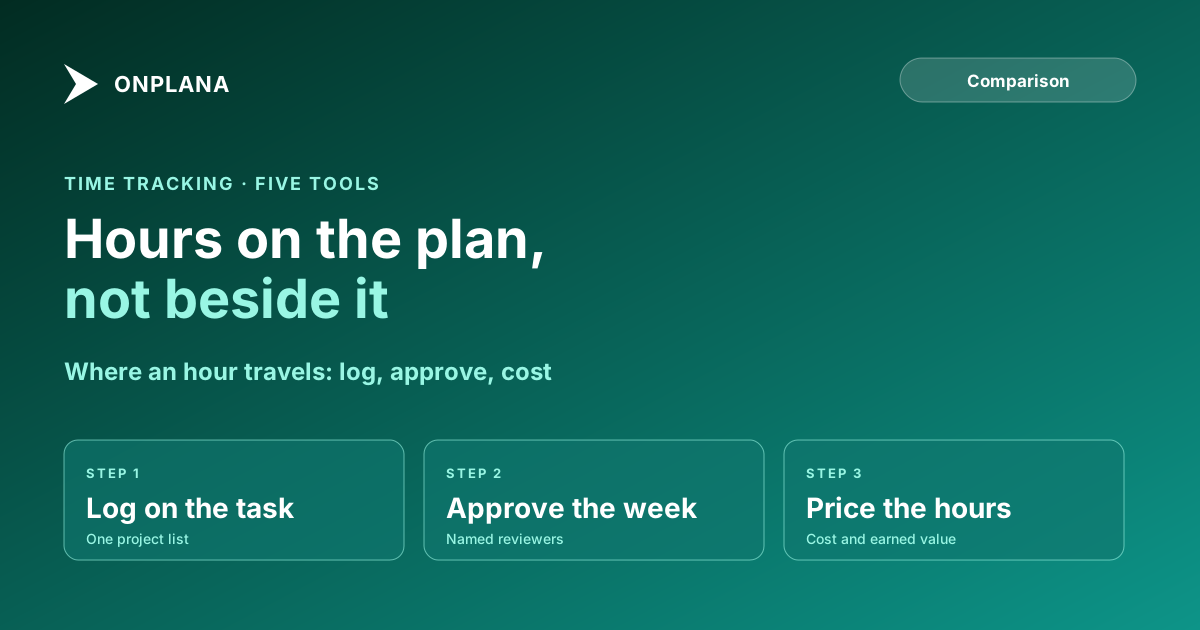
The diagram below shows how far each tool carries an hour, from logging to approval to cost.
"Not listed" means the vendor's pricing page does not list it, not that the product lacks it. "Top tier" means the highest self-serve or enterprise tier on that page.
Which tools include time tracking, side by side?
Plan data below was read from each vendor's pricing page on 15 November 2026, at annual-billing prices per user per month.
| Tool | Entry price with time logging | Timesheets | Timesheet approval | Billable rates | Hours feed cost reports |
|---|---|---|---|---|---|
| Onplana | USD 12 (Professional) | Professional and up | Professional and up, named approvers | Rate cards, including on Free | Approved hours become actual cost in earned value |
| Harvest | USD 0 (1 seat, 2 projects) | Yes | Enterprise seat, USD 14 | Yes | Not listed |
| ClickUp | USD 9 (Core) | Business, USD 17 | Enterprise, custom | Not listed | Not listed |
| Teamwork | USD 0 (time logging) | Not listed | Not listed | Billable tracking, USD 9.99 | Profitability insights on a contact-sales tier |
| Smartsheet | Not listed | Not listed | Not listed | Not listed | Time and expense tracking in the Resource Management add-on |
How do the five tools rank?
Ranked on the four steps above, then on whether hours reach cost. Onplana does not take first place by default: Harvest's tracker is more mature.
1. Harvest: the most mature time tracker
Harvest is a tracker first. Its free plan is one seat and two projects, and the Teams plan is USD 9 a seat; billable rates are listed for Teams, while approval is listed on Enterprise (USD 14).
Pros: the best-known timer experience; accounting integrations to Xero and QuickBooks Online. Cons: it is a second app beside your plan, so projects and rates drift; no earned value.
2. Onplana: hours on the plan, with approval and cost
We built Onplana, so read this entry against the table. It logs hours against the task, runs a week through the approvers an owner or admin names (or the project's managers), keeps cost and billable rates as separate numbers per person, role and organisation, and prices approved hours into earned value. Timesheets and approval start on Professional, USD 12 a seat a month (read from our own plans.ts on 15 November 2026); rate cards are on Free. The week can be copied from last week or prefilled from the plan. Details are on the project time tracking page.
Pros: one project list, so nothing to reconcile; approval trail with the reviewer on every entry; hours feed capacity and earned value. Cons: no running timer, no clock-in, no payroll and no Xero or QuickBooks sync; a newer product with a smaller ecosystem than Harvest.
3. ClickUp: time tracking inside a flexible task tool
ClickUp lists time tracking on Core, timesheets on Business and approvals on Enterprise; advanced time tracking is a trial on the lower tiers.
Pros: timer and task in one app; low entry price. Cons: approvals sit at the top of the ladder; billable rates and cost reporting are not listed.
4. Teamwork: billable time for client work
Teamwork includes time logging on Free, adds billable time reporting from USD 9.99, and adds client invoicing from logged time at USD 24.99.
Pros: built for agencies that bill by the hour; time budgets and retainers. Cons: timesheets and approval are not listed on its pricing page.
5. Smartsheet: time as an add-on
Smartsheet mentions time and expense tracking only in its Resource Management add-on, which is priced on request.
Pros: strong sheet-based reporting; workload tracking on the Business plan. Cons: the time feature is an add-on with no listed price, and timesheet approval is not listed.
When does built-in time tracking beat an integration?
Built-in wins when hours must reach cost or capacity. A separate tracker keeps its own project list, so every month someone matches lines by hand and finds the one client billed at last year's rate. A built-in tracker has one list. If the only consumer of hours is an invoice, a tracker plus an accounting integration is simpler and cheaper.
How you stop timesheets becoming a chore is covered in timesheet compliance without nagging, and what to do with the hours afterwards in utilization versus billability. For a quick start, the monthly timesheet template works before you pay for anything.
How do you test a tool before you buy it?
Use last month's real hours.
- Pick one project and one person with two rates, such as a cost rate and a billable rate.
- Log a week of entries and submit it for approval.
- Reject one entry and check the reviewer's reason comes back with it.
- Check the cost figure equals hours times the cost rate, not the billable rate.
- Note which of those steps needed a higher plan.
Compare the plans that include timesheets Timesheets, the approval chain and capacity start on Professional with no seat minimum; earned value is on every plan. See what each plan includes before you commit. → Open the pricing page
Frequently asked questions
What is the best project management software with time tracking?
It depends on whether you need approval. Harvest is the strongest pure time tracker, ClickUp and Teamwork log time inside a task tool, and Onplana runs timesheets with an approval chain on the plan itself. Onplana is our product, so weigh its placement against the table.
Is there free project management software with time tracking?
Partly. Teamwork's Free plan includes time logging, Harvest's free plan is one seat and two projects, and ClickUp lists advanced time tracking as a trial on Free. Onplana's Free plan has no timesheets, though its rate cards are free.
Does built-in time tracking beat an integration?
Usually, when the hours must feed cost or capacity. A built-in tracker logs against the same task the plan uses, so there is no second project list to reconcile. An integration is fine when only invoicing needs the hours.
Can a timesheet tool stop people logging time to the wrong project?
Only partly. An approval chain catches a wrong entry before it becomes cost, but it cannot stop the entry being made. The fix is logging against tasks the person is actually assigned to.
Does Onplana have a timer or clock-in?
No. Onplana has no running timer, no clock-in, no payroll and no Xero or QuickBooks sync. It is project time tracking, not workforce time and attendance.
Do logged hours change earned value?
In Onplana, yes: approved timesheet hours become actual cost in earned value, priced at the cost rate. Without approved time, earned value has no actual cost from people.
Ready to make the switch?
Start your free Onplana account and import your existing projects in minutes.