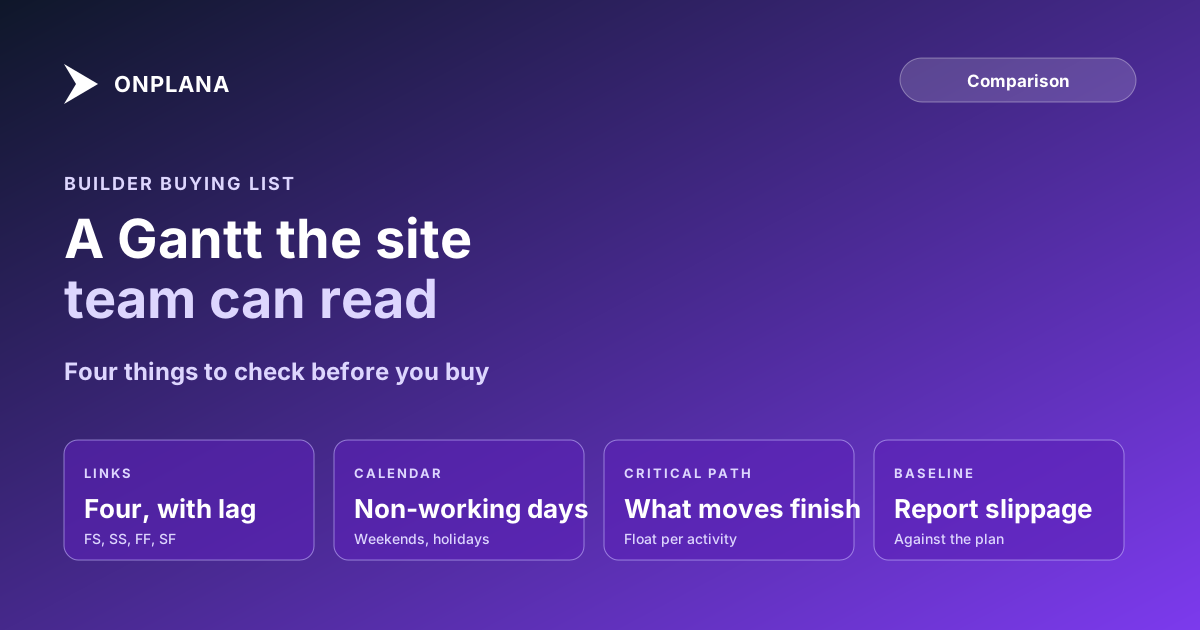
Construction Gantt Chart Software: What a Builder Needs
Construction Gantt chart software needs links with lag, calendars, a critical path and baselines. Four tools checked against that list, prices read 15 Nov 2026.
Construction Gantt chart software has to do five things a general task tool often skips: link activities four ways with lag, respect a working calendar with non-working days, compute a critical path, hold a baseline to report slippage against, and share the programme with subcontractors. Miss one and the Gantt becomes a picture rather than a programme. On 15 November 2026, GanttPRO's pricing page lists dependencies, critical path and baselines on every plan from USD 7 a user a month, while TeamGantt's pricing page prices by project, from USD 59 a month for five.
Summary. A construction Gantt is only as good as its links, calendar, critical path and baseline. Of the four tools checked here, GanttPRO is the cheapest complete set, Onplana is the only one with a Free plan carrying the Gantt, critical path and import of .mpp and .xer files, and Smartsheet suits teams that already live in sheets. Onplana is our product; its weaknesses are below.
Want to see a programme with links and a critical path? Build the programme as a Gantt on the free plan.
What does a construction Gantt chart need?
It needs the features that turn a bar chart into a programme. To see those features applied to a real build, follow how to plan a build trade by trade with week-numbered links.
- Four link types with lag. Finish-to-start alone cannot express "start the screed three days after the pour finishes" overlaps; start-to-start with lag can. The deep dive on dependency types shows when each applies.
- A working calendar. Non-working days, holidays and weekends move finish dates; a tool without them makes every duration a calendar-day guess.
- A critical path. It names the activities whose slip moves practical completion.
- A baseline. It is the committed programme you measure slippage against.
- Exchange and sharing. Subs and designers use Primavera P6 and Microsoft Project files, and need to see the programme without a licence.
The diagram below shows how the four tools compared here cover those five needs.
"Not listed" means the vendor's pricing page does not list it, not that the product lacks it. For Onplana, "Via import" means the working calendar of an imported .mpp, XML or .xer file comes across into a new project; resource calendars and repeating holidays do not.
Which Gantt chart software suits construction?
Prices were read from each vendor's pricing page on 15 November 2026, at annual billing where stated.
| Tool | Entry price | All four link types with lag | Critical path | Baselines | Calendars | .mpp or .xer import | Sharing |
|---|---|---|---|---|---|---|---|
| GanttPRO | USD 7 a user (Core) | Dependencies listed | Every plan | Every plan | Project calendar; exceptions from Advanced | Generic import only | Shared private link |
| Onplana | USD 0 (Free, 5 members, 2 projects) | All four with lag, every plan | Every plan | Professional and up, USD 12 a seat | Imported working calendar | .mpp, XML, .xer and Excel, every plan | 2 guest seats on Professional, none on Free |
| TeamGantt | From USD 59 a month for 5 projects | Advanced dependencies listed | Listed | Not listed | Not listed | Not listed | Share live schedules with anyone |
| Smartsheet | USD 9 a member (Pro) | Not assessed here | Not listed | Business | Not assessed here | Not assessed here | Free guests on Business |
"Not assessed here" means we did not verify it; it is not a claim of absence.
Which tool ranks first?
Ranked on how many of the five needs a tool lists on a plan a builder can buy. Onplana is not placed first by default.
1. GanttPRO: the most complete listed set at the lowest price
GanttPRO lists dependencies, critical path, baselines and a project calendar on its USD 7 Core plan, with calendar exceptions on Advanced and resource calendars on Business.
Pros: the cheapest tool that lists all of it; a shared private link for the site team. Cons: MS Project and XER import are not named on its pricing page, so a P6 programme may not come across.
2. Onplana: Gantt, critical path and P6 import free
We built Onplana, so weigh this entry against the table. The Gantt with critical path, all four dependency types with lag, milestones and import of .mpp, Project XML, .xer and Excel are on every plan including Free, which is capped at 5 members and 2 projects (read from our plans.ts on 15 November 2026). Baselines and schedule variance start on Professional, USD 12 a seat a month. See Onplana's Gantt and critical path and, for programmes in the field, how the look-ahead schedule feeds it.
Pros: a free place to test a real programme; a P6 or Project file imports on any plan. Cons: baselines cost a tier; no guest seats on Free; not a construction ERP, drawing manager or BIM tool, and no RFIs or submittals.
3. Smartsheet: mature, but baselines sit on Business
Smartsheet lists baselines on Business and Pro at USD 9 a member annual; critical path is not listed on the page.
Pros: a familiar grid and unlimited free guests on Business. Cons: no free plan; confirm critical path on the plan you buy.
4. TeamGantt: simple, priced by project
TeamGantt describes critical path scheduling on Base from USD 59 a month for five projects.
Pros: easy to learn; live schedule sharing with anyone. Cons: baselines, calendars and MS Project import are not listed; per-project pricing penalises many small jobs.
How do you test a Gantt tool on a real programme?
Use a programme you already run, not a demo.
- Export your current programme as .mpp, Project XML or .xer.
- Import it and check that activity count, hierarchy and link types survive.
- Confirm the critical path matches the one your planner trusts.
- Add a non-working day and check the finish date moves.
- Share it with one subcontractor and note whether they needed a seat.
For a wider buyer's list, see best Gantt chart software in 2026 and construction project management software, or put a real job into a construction programme in Onplana.
Build the programme as a Gantt on the free plan Import a .mpp or .xer, or start from scratch, and see the critical path on a real job. No credit card. → Start free
Frequently asked questions
What should construction Gantt chart software have?
At minimum, all four dependency types with lag, working calendars with non-working days, a critical path, a baseline to report slippage against, and a way to share the programme with subcontractors. Without lag and calendars, a concrete cure time or a wet-weather day becomes a guess.
Is there free Gantt chart software for construction?
Yes, with limits. Onplana's Free plan includes the Gantt with critical path and all four dependency types with lag, for up to 5 members and 2 projects, but baselines start on Professional. TeamGantt has a free personal plan with basic features.
Can I open a Primavera P6 or Microsoft Project programme in a Gantt tool?
Only if the tool imports those files. Onplana imports .mpp, Project XML, .xer and Excel on every plan; check the vendor's page before you commit a live programme to any other tool.
Do subcontractors need a licence to see the Gantt?
It depends on the tool. Some give a shared link, some bill a seat. Onplana's Free plan has no guest seats and Professional includes 2, so test the sharing path with a real subcontractor first.
Is Onplana construction software?
No. Onplana is a scheduling and project tool, not a construction ERP or a drawing manager, and it does not do BIM, RFIs or submittals.
Ready to make the switch?
Start your free Onplana account and import your existing projects in minutes.