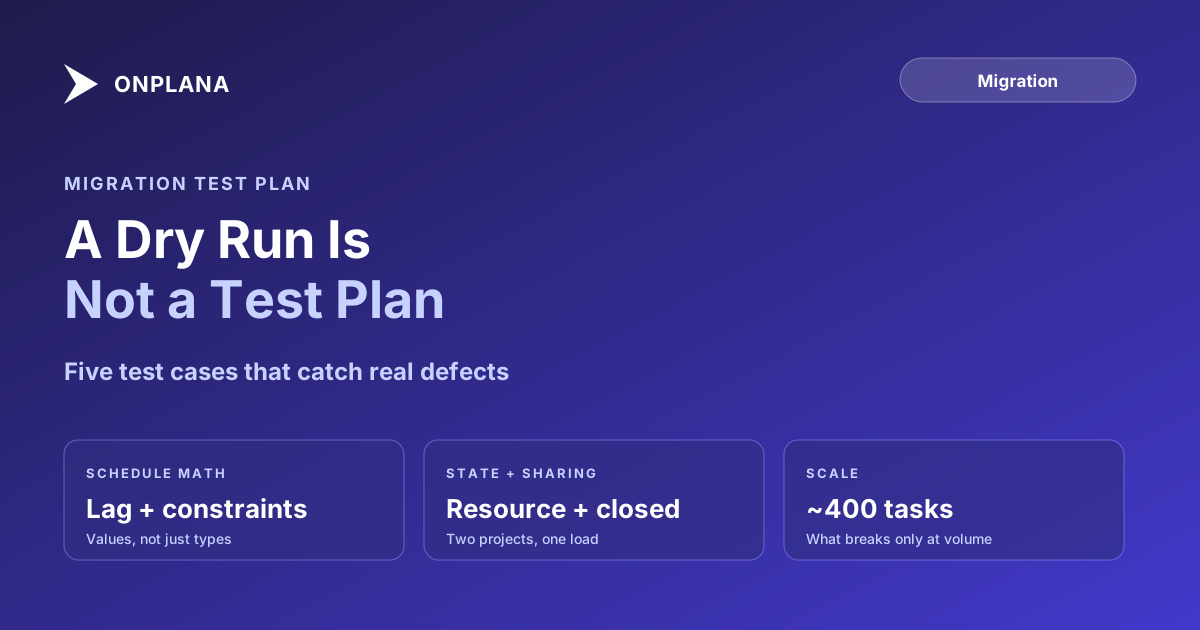
The Migration Test Plan Template Most Teams Skip
A migration test plan template needs five specific test cases, not a dry run: lag, a hard constraint, a shared resource, a closed project, and scale.
A dry run proves the import job finished without throwing an error. A migration test plan template proves something narrower and more useful: that specific numbers you wrote down before the import match specific numbers you can check after it. Most teams running a Project Online migration run the first and call it the second, which is why defects that were entirely predictable still show up during cutover weekend.
The direct answer: a real migration test plan template needs five specific test cases, not a general walkthrough: a schedule with lag on its dependencies, a task under a hard constraint, a resource assigned across two open projects at once, a project that is already closed, and a schedule large enough to test at scale, around 400 tasks. Each case gets a written expected result decided before the import runs, so you are checking the destination against your own number, not against whatever the tool reports back.
Why a Dry Run Doesn't Count as a Migration Test Plan
A dry run answers one question: did the parser reach the end of the file without an unhandled exception? That is a real signal, but it is a parsing signal, not a correctness signal. The parser can finish cleanly while dropping a lag value it does not recognize, defaulting a constraint it cannot map, or splitting one resource's assignments across two projects incorrectly. None of those failures throw an error. All of them look, at a glance, like a successful migration.
Post-cutover data validation exists precisely because "import successful" and "import correct" are different claims. A test plan is how you catch the gap before cutover instead of three weeks after it, when the wrong numbers have already fed a status report.
The Five Test Cases a Migration Test Plan Template Needs
Each case targets a specific class of defect that a generic dry run cannot surface, because a generic run rarely happens to include the exact condition that breaks.
| Test case | What it's designed to catch | Expected result you check yourself |
|---|---|---|
| A schedule with dependency lag | Lag values (5-day FS lag, for example) getting silently dropped or converted to zero | Every dependency's lag value in the destination matches the source exactly, not just the dependency type |
| A task under a hard constraint | Must Start On / Must Finish On constraints getting reinterpreted as soft constraints or ignored | The constrained task's date in the destination matches the constraint, even when its predecessor's date would otherwise move it |
| A resource on two open projects | Assignment percentages getting recalculated per project instead of validated against the person's total load | The resource's combined allocation across both projects in the destination equals what it was in the source |
| A project already marked closed | Closed projects getting silently excluded, or reopened with an active status | The closed project imports with its closed status intact, and its final baseline is kept in the exported file for the record |
| A schedule around 400 tasks | Defects that only appear at volume: truncated task lists, timeout-related partial imports, WBS hierarchy breaking past a certain depth | Task count, WBS structure, and dependency count in the destination match the source exactly, not approximately |
Run every case against the same project category your real portfolio has the most of. A test plan built entirely from small, simple schedules tells you almost nothing about the 400-task schedule that actually worries you.
The diagram below shows how the five cases feed a single go decision, the same way the checks in the go/no-go scorecard do.
How to Read the Results Without Trusting the Tool
A migration tool's own success message is not a test result; it is a claim the tool makes about itself. Check each case against the number you wrote down beforehand, field by field, not against whatever summary the import wizard displays. For the lag case, open the dependency in the destination and compare the lag value directly. For the constraint case, check the task's actual scheduled date, not just whether a constraint icon appears. For the shared-resource case, sum the assignment percentages across both projects and compare that sum to the source, since a per-project view can look correct while the combined load is wrong.
This is the same discipline behind the broader post-migration validation audit: a tool that reports success has told you the file parsed, not that your Project Online data came across the way you needed it to. The test plan is how you catch that gap on five representative cases before you commit the other 395 projects to the same import path.
When to Run It, and What a Failed Case Means
Run the test plan against your pilot migration, before the full portfolio cutover, using a pilot project selected specifically to include this kind of complexity rather than the simplest schedule available. A failed case is not a defect in the destination tool; it almost always traces back to something ambiguous or already broken in the source Project Online schedule, a lag value nobody checked in years, a constraint set for a reason nobody remembers. Fix the defect in the source, then rerun the whole test case from the start. Patching the imported copy leaves the same defect waiting for the next project that migrates the same way, and every week that passes brings the retirement date closer without the underlying schedule getting any cleaner on its own.
Before you build the pilot's test plan, run a sample of your exported .mpp files through the free Migration Preview tool. It shows which schedule features in each file transfer cleanly and which need attention, so you know which real projects to draw your five test cases from instead of guessing.
Preview your migration before you write the test plan See what your Project Online migration actually looks like, project by project, so you can pick real test cases instead of guessing. No signup required. → Run the Migration Preview
Microsoft Project Online™ is a trademark of Microsoft Corporation. Onplana is not affiliated with Microsoft.
Frequently asked questions
What is a migration test plan template?
A written set of test cases, each with a documented expected result, that you check by hand against the destination system rather than trusting the migration tool's success message. It differs from a dry run, which only confirms the import job finished without an error.
What test cases should a Project Online migration test plan include?
Five at minimum: a schedule with lag on its dependencies, a task under a hard constraint, a resource assigned across two open projects, a project that is already closed, and a schedule large enough to test at scale, roughly 400 tasks.
Is a dry run the same as a migration test plan?
No. A dry run proves the import job completes without throwing an error. A migration test plan proves the specific numbers in the destination match specific numbers you wrote down before the import ran, which a completed job does not guarantee.
What happens when a test case fails?
Fix the defect in the source Project Online schedule first, not in the destination, then rerun the whole test case from scratch. Patching the imported copy leaves the source broken for the next project that migrates the same way.
Ready to make the switch?
Start your free Onplana account and import your existing projects in minutes.