Best Project Management Software for Government, Ranked
The best project management software for government, ranked on FedRAMP level, Section 508, data residency and scheduling depth, with what each vendor documents.
The best project management software for government has to survive procurement gates before a feature is discussed. FedRAMP, the federal program that certifies cloud services for agency use, lists 468 of its 711 marketplace offerings at the Moderate level as of September 3, 2026 (FedRAMP Moderate tally, fedrampcost.com), so Moderate is the bar most government buyers meet.
Short answer. For US federal work, Smartsheet Gov ranks first: FedRAMP Moderate plus a DISA Impact Level 4 provisional authorization on AWS GovCloud. Microsoft Planner and Project in a government cloud ranks second, Asana Gov third after its June 2026 FedRAMP Moderate authorization, and Onplana fourth, with self-hosting for residency but no FedRAMP authorization. Rank on the gate each buyer cannot waive, then on scheduling depth.
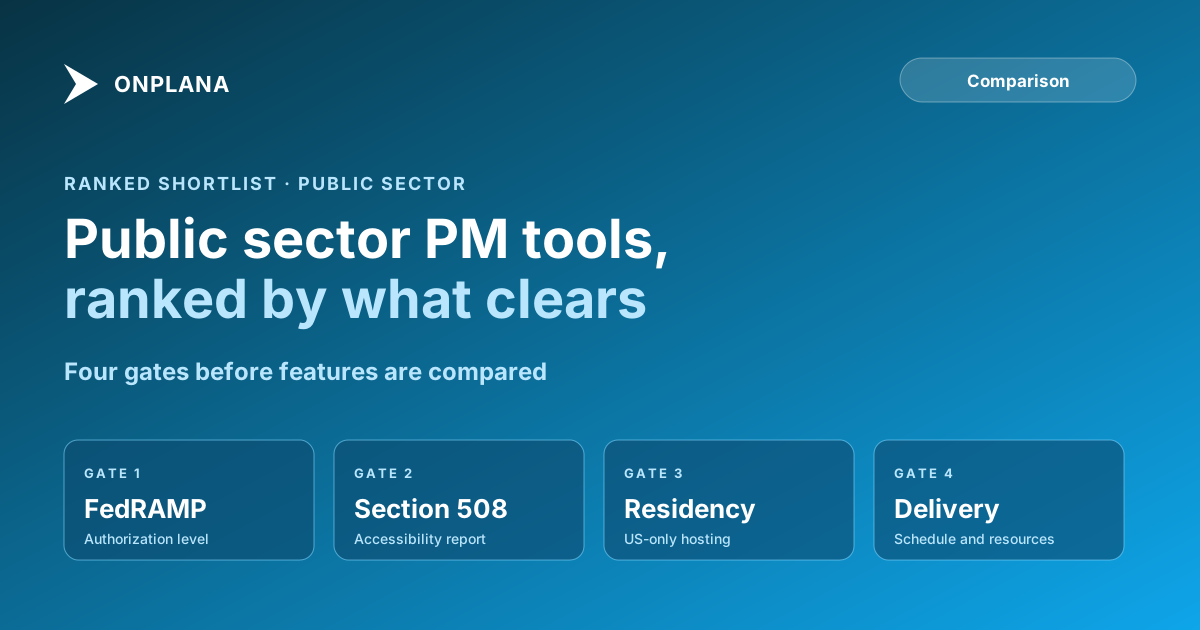
The diagram below shows the order the ranking applies. Each box is a pass-or-fail check before the next one matters.
What is the best project management software for government?
The table uses what each vendor documents publicly. A blank means we could not confirm it, not that it is absent.
| Rank | Tool | Federal authorization | Hosting | Notes |
|---|---|---|---|---|
| 1 | Smartsheet Gov | FedRAMP Moderate; DISA Impact Level 4 | AWS GovCloud (US) | Separate government product |
| 2 | Microsoft Planner and Project (GCC High) | Government cloud with US-only storage and screened personnel | Microsoft government cloud | Needs eligibility validation |
| 3 | Asana Gov | FedRAMP Moderate, June 24, 2026 | Asana Gov environment | Most Enterprise features |
| 4 | Onplana | None claimed | Self-hosting on Enterprise and above | Gantt and critical path on every plan |
1. Smartsheet Gov: the most documented federal path
Smartsheet Gov holds a Moderate ATO from the FedRAMP PMO and an Impact Level 4 provisional authorization from DISA, running on AWS GovCloud (US) (Smartsheet FedRAMP page). It suits a federal PMO or contractor that needs one authorized work-management platform.
Pros: two federal authorizations on a government-only infrastructure; a mature dashboard and portfolio model. Cons: Smartsheet Gov is a separate product from the commercial service, so confirm which features it carries; test large dependency networks on a real file.
2. Microsoft Planner and Project in GCC High: for defense and CUI work
Microsoft's GCC High environment keeps customer content logically segregated from commercial services, stores it in the United States and restricts access to screened Microsoft personnel (Microsoft Learn, GCC High). Planner and Project plan licences are sold for government segments. Project's scheduling depth suits large programs, and Project Online itself retired on September 30, 2026, so plan on current Project plans.
Pros: deep scheduling; fits agencies already on Microsoft 365 government. Cons: eligibility validation is required before provisioning; feature parity with commercial plans needs checking.
3. Asana Gov: newly authorized
Asana announced FedRAMP Moderate authorization for Asana Gov on June 24, 2026, covering federal, state and local agencies and contractors (Asana press release via Yahoo Finance). It fits agencies whose main need is coordination across departments.
Pros: FedRAMP Moderate; familiar interface for non-specialist staff. Cons: the authorization is months old, so ask for the current authorization package; deep schedule dependencies are not its headline capability, so test them.
4. Onplana: scheduling depth, no federal authorization
Onplana does not claim FedRAMP authorization, so it fails gate one for any buyer that requires it. For others, the security page documents data residency through self-hosting on Enterprise and above (the managed service runs in one region), an append-only audit log, SSO and SCIM, and the DPA covers data processing terms. The Gantt with critical path, baselines and all four dependency types is on every plan, including Free; audit logs, SSO and SCIM start on Enterprise at $29 per seat per month. Onplana publishes no accessibility conformance report that we can cite, so ask for one before a Section 508 review.
Pros: schedule engine on every plan; self-hosting for sovereign requirements. Cons: no FedRAMP; SOC 2 is in progress; ranks last on the first gate.
What did we leave out?
monday.com is not ranked because its FedRAMP status could not be confirmed from a primary source. For the wider evaluation, read project management software for government and public sector and Project Online migration for government.
How should a government PMO choose?
Use this order:
- Confirm the authorization level your buyer requires (FedRAMP Moderate, IL4, or none), using fedramp.gov.
- Ask for the vendor's accessibility conformance report to meet Section 508.
- Check where data is stored and who can access it.
- Test a real schedule for dependencies and resource loading. Regulated industry audit scheduling covers audit-ready practice.
- Take the written answers to your security officer before any pilot.
Run the free PMO Maturity Assessment Assess your public sector PMO's governance, resource planning and reporting maturity in about 10 minutes, so you know which gate to press first. No signup required. → Open the PMO Maturity Assessment
Microsoft Project Online™ is a trademark of Microsoft Corporation. Onplana is not affiliated with Microsoft.
Frequently asked questions
Does government project management software need FedRAMP authorization?
For US federal agencies using a cloud service, yes: FedRAMP is the federal program that certifies cloud services for agency use. State, local and council buyers often follow their own rules, so check your procurement policy.
Which project management tools have FedRAMP authorization?
Smartsheet Gov holds a FedRAMP Moderate authorization, and Asana announced FedRAMP Moderate authorization for Asana Gov on June 24, 2026. Microsoft offers Planner and Project in its government cloud environments.
Do I need Section 508 compliance in a project management tool?
If a federal agency buys it, accessibility under Section 508 applies, and you should ask the vendor for an accessibility conformance report. Many state and local buyers apply the same expectation.
Can a commercial project management tool be used by government?
Sometimes, for work that holds no controlled data and sits inside your agency's own policy, but not where the buyer requires FedRAMP or a government cloud. Confirm with your security officer before piloting.
Does Onplana have FedRAMP authorization?
No, Onplana does not claim FedRAMP authorization. Its answer for strict residency requirements is self-hosting on Enterprise and above, and its security page lists SOC 2 as in progress.
Ready to make the switch?
Start your free Onplana account and import your existing projects in minutes.